
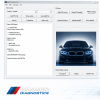
Complete SP-Daten Package for BMW E-Series Coding & Programming
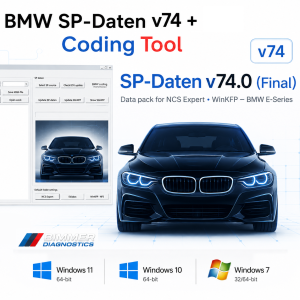
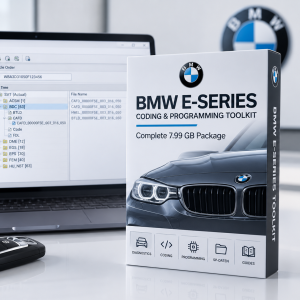
BMW SP-Daten v74 is a complete data package designed for coding, programming and diagnostic operations on BMW E-Series control units.
The package includes the latest SP-Daten v74 data together with BMW Coding Tool v2.50, providing the necessary data and tools for working with popular BMW diagnostic and coding software such as NCS Expert, WinKFP and INPA.
Included
This package includes:
- BMW SP-Daten v74
- BMW Coding Tool v2.50
- SP-Daten data required for supported BMW E-Series control units
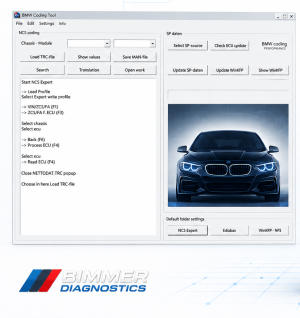
- Coding Tool for convenient SP-Daten integration with NCS Expert / WinKFP
Package Size
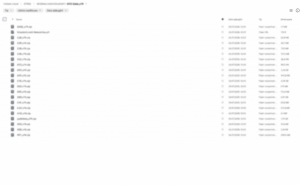
Approximately 17.75 GB
Main Uses
BMW SP-Daten can be used with compatible BMW software for various coding, programming and diagnostic operations.
WinKFP
Use SP-Daten files with WinKFP for:
- BMW ECU programming
- Control unit flashing
- Software updates
- Control unit data management
NCS Expert
Use SP-Daten with NCS Expert for:
- Coding BMW control modules
- Reading and writing coding data
- Applying custom vehicle configurations
- Retrofit-related coding operations
INPA
SP-Daten can also be used together with compatible BMW diagnostic software for:
- Control unit diagnostics
- ECU identification
- Fault diagnosis
- Testing supported vehicle systems
BMW Coding Tool v2.50
The included BMW Coding Tool v2.50 simplifies the process of importing and configuring SP-Daten files for use with BMW coding and programming software.
It can be used to help integrate the SP-Daten package with:
- NCS Expert
- WinKFP
This makes the package suitable for users who regularly perform BMW coding and programming operations.
Supported Vehicles
The package is intended primarily for BMW E-Series vehicles.
Compatibility depends on the specific BMW model, control unit and software being used.
The SP-Daten data package is suitable for a wide range of BMW E-Series platforms and control units.
System Requirements
Operating System
- Windows 7
- Windows 10
- Windows 11
Diagnostic Interface
Compatible with:
- K+DCAN cable
- INPA-compatible diagnostic interfaces
A stable USB connection is recommended for coding and programming operations.
Installation & Setup
Before using BMW SP-Daten v74, ensure that the required BMW diagnostic and coding software is already installed and configured.
The general setup involves:
- Downloading the SP-Daten v74 package
- Extracting the downloaded archive completely
- Installing or configuring the included BMW Coding Tool v2.50
- Importing the SP-Daten files into the appropriate BMW software
- Configuring NCS Expert / WinKFP as required
- Connecting the compatible BMW diagnostic interface
- Launching the required diagnostic or coding application
Do not run coding or programming operations until the software and SP-Daten files have been configured correctly.
Recommended For
BMW SP-Daten v74 + Coding Tool v250 is ideal for:
- Independent automotive workshops
- BMW coding specialists
- Automotive electricians
- Retrofitters
- BMW diagnostic technicians
- Advanced DIY users
- BMW enthusiasts working with E-Series vehicles
Important Notice
BMW SP-Daten contains vehicle-specific data used by compatible BMW diagnostic, coding and programming software.
Incorrect coding or ECU programming can potentially cause control-unit malfunctions.
Before programming or flashing an ECU:
- Ensure the vehicle battery has a stable power supply
- Ensure the diagnostic interface is properly connected
- Verify that the correct vehicle and control unit are selected
- Do not interrupt the programming process
- Do not disconnect the interface while programming is in progress
BMW SP-Daten v74 is intended for experienced users familiar with BMW diagnostic and coding software.
Delivery
This is a digital-only product.
After purchase, you will receive a secure download link containing:
- BMW SP-Daten v74
- BMW Coding Tool v2.50
- Installation/setup information
Download Size
Approximately 17.75 GB
The package is delivered digitally. No physical product will be shipped.
Need Help?
Before contacting Technical Support, please make sure that:
- Your BMW diagnostic software is correctly installed
- SP-Daten v74 has been completely extracted
- BMW Coding Tool v250 has been configured
- Your diagnostic interface is correctly installed
- The correct BMW model and control unit have been selected
If you still require assistance, please provide:
- BMW model
- Model year
- Chassis/platform
- Windows version
- Software being used (NCS Expert / WinKFP / INPA)
- Diagnostic interface
- Screenshot of the error
- Brief description of the problem
This information will help us provide faster and more accurate technical support.
Important Compatibility Notice
This product is BMW-compatible diagnostic and coding software/data. It is not affiliated with, endorsed by, or sponsored by BMW AG.
BMW trademarks and model names are used solely for compatibility and identification purposes.
E36 | E38 | E39 | E46 | E52 | E53 | E60 / E61 / E63 / E64 | E65 / E66 / E67 / E68 | E70 / E71 / E72 | E83 | E85 / E86 | E81/82/84/87/88/89/90/91/92/93 | R50 (MINI) | R56 (MINI) | RR1/2/3
Digital Product
Digital product only. No physical item will be shipped.
Due to the digital nature of this product, refunds are not available for incompatibility with the customer’s hardware, operating system or existing software configuration.


Mark Einstein –
I love this software! The support was fast and helped me with a few problems. I will definitely buy again in the future!